
Turn two photos into
a before-and-after video
Before and After Video Maker
Show the difference in motion.
Add your before and after photos to create an animated image comparison. Adjust the divider and labels, then download your video as an MP4.
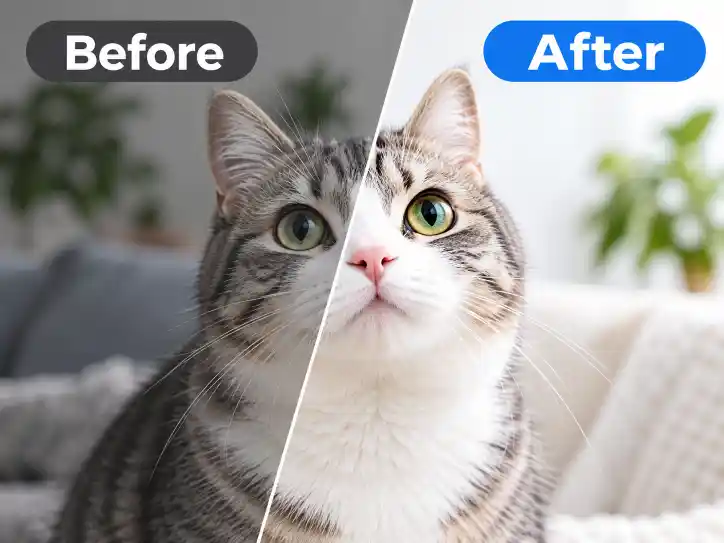
How to make a before-and-after video
-
Choose your before and after photos
Select two photos showing the change you want to highlight. HEIC photos are supported.
-
Customize the slider
Preview the comparison, choose a horizontal or vertical reveal, and adjust the background, labels, and divider.
-
Download your MP4
Download your finished before-and-after video as an MP4. You can also save the current comparison frame as a JPG.
Supported files and export details
| Input formats | JPG, PNG, WebP, and HEIC/HEIF |
|---|---|
| Input limits | 50 MB, 40 million pixels, and 16,384 px per side for each image |
| Export formats | JPG and MP4 (H.264 video, no audio) |
| MP4 resolution | Choose a 720 px, 1080 px, or 2160 px short side |
| Frame rate | 30 fps standard or 60 fps high quality |
| Transparent areas | White in JPG and MP4 exports |
| Processing | Photos are loaded, compared, and exported in your browser |
Use it for photo edits, home makeovers, artwork progress, product changes, and other side-by-side comparisons that look better in motion.
Frequently asked questions
QAre my photos uploaded to a server?
No. Your photos are loaded, compared, and exported locally in your browser.
QCan I use photos with different sizes or aspect ratios?
Yes. Auto uses Photo A as the reference size. You can match widths or heights to adjust the canvas. Choose Show full image to keep both photos visible and fill empty space with your selected background color.
QWhy can’t I download an MP4?
MP4 export requires a browser and device that support WebCodecs and H.264 encoding. Try a lower resolution. If your device still cannot encode the video, download a JPG instead.
QHow long will my video be?
The total includes the slider movement plus any holds at the beginning and end. The page shows the total for your current settings.
QCan I export a transparent background?
You can preview transparency, but JPG and MP4 exports fill transparent areas with white.
QCan I use HEIC photos?
Yes. HEIC photos are decoded in your browser. Some unusual or damaged files may not open. Each image is limited to 50 MB and 40 million pixels.