
Online Tuner
See which string to tune and where to aim.
Enable your microphone and play a note.Works with guitar, bass, ukulele, violin, and kalimba.Adjust concert pitch or transpose for wind instruments.Microphone audio is never recorded or uploaded.
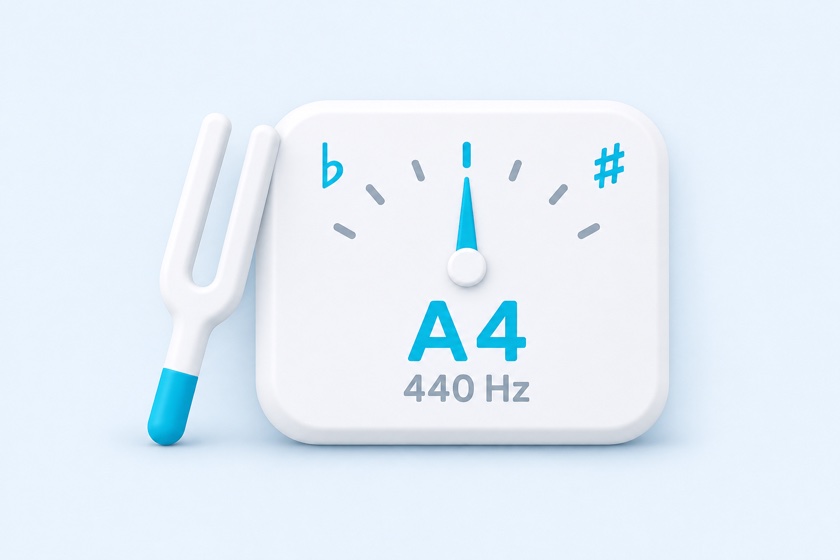
Audio is never recorded or uploaded. Pitch is calculated in your browser.
Click the button and allow microphone access.
440.0 Hz
—0
Pitch history: last 10 seconds, center is 0 cents
Instrument & Tuning
The tone plays until you click the same button again. Selecting another string changes the tone. Playing a reference tone stops microphone detection.
Shows the nearest note and pitch deviation for any note. Useful for voice, wind instruments, and checking piano notes.
Settings
Concert Pitch (A4)
Transpose Displayed Notes
Note Names
Tuning Tolerance & Reference Tone
The tuner shows In Tune after the pitch stays within this range for 0.5 second.
Play Reference Tone
Reference tones stop the microphone so it does not pick up its own output. Use them to tune by ear or find starting pitches for singing.
Instrument, tuning, concert pitch, and note names are remembered for your next visit. Share the URL with students or bandmates to open the same settings.
How to tune your instrument online
- Choose an instrument and tuning, or use Chromatic for any note.
- Click Start Microphone Tuner and allow microphone access in your browser.
- Play one open string or a single sustained note. Move closer to the microphone if needed.
- If the note is flat, raise its pitch gradually; if sharp, lower it. Aim for the center of the meter and hold until In Tune appears.
Guitar, bass, ukulele, and violin tuning
Standard guitar tuning is E2–A2–D3–G3–B3–E4, from the thickest string to the thinnest. Choose alternate presets for tunings such as Drop D or half-step down. Bass presets include four- and five-string instruments. Ukulele and violin have their own string targets.
Click a string button to lock the target when an out-of-tune string is being mistaken for another note. Unlock to return to automatic string selection.
Use the chromatic tuner for voice or other instruments
Chromatic mode displays the closest note, its frequency, and pitch deviation in cents. One semitone is 100 cents. It works best with a single sustained note rather than chords or background music.
For a 17-key C kalimba, select the kalimba preset and pluck one tine at a time. The lowest center tine is C4.
Concert pitch, A4 = 440 Hz, and transposing instruments
The default reference pitch is A4 = 440 Hz. Change it from 430 to 450 Hz to match an ensemble, including A4 = 442 Hz. Choose B♭, E♭, or F transposition to show written notes for a transposing instrument. The reference tone still plays at the corresponding sounding pitch.
English letter names are the default. Solfege and German note names are also available. The reference tone lets you tune by ear; microphone detection pauses while the tone plays.
Frequently Asked Questions
Is this tuner free, and do I need an app?
It is free and runs in your browser. You do not need to install an app. Microphone permission is required for pitch detection.
Does it record or upload microphone audio?
No. Pitch detection happens in your browser. Microphone audio is neither recorded nor uploaded. Stopping detection releases the microphone.
Why is my microphone not working?
Open the HTTPS version of this page in a browser such as Safari or Chrome, allow microphone access in the site settings, and close other apps using the microphone. Some in-app browsers do not support microphone access.
Can I use it on iPhone or Android?
Yes, in a supported browser with microphone permission. If the meter does not respond, reload the page, allow access, and try again with the instrument closer to the microphone.
Why does the tuner show a different note or octave?
Background noise, multiple strings, weak bass fundamentals, or overtones can confuse pitch detection. Play one string at a time, reduce noise, and lock the intended string if needed. Check your tuning preset before making a large adjustment.
Can I tune to 442 Hz or use alternate tunings?
Yes. Adjust Concert Pitch for A4 calibration and choose an instrument tuning preset. In Chromatic mode, you can also tune to any displayed note.