
Perfect for OBS overlays and Video Editing.
Create stunning Outlines and Glow
Effects for your PNG images directly in your browser.
Secure, fast, and no installation required.
Click or Drop Image Here
Supports transparent PNG/WebP
*Processing is done locally on your device.
Images are never uploaded to any server.
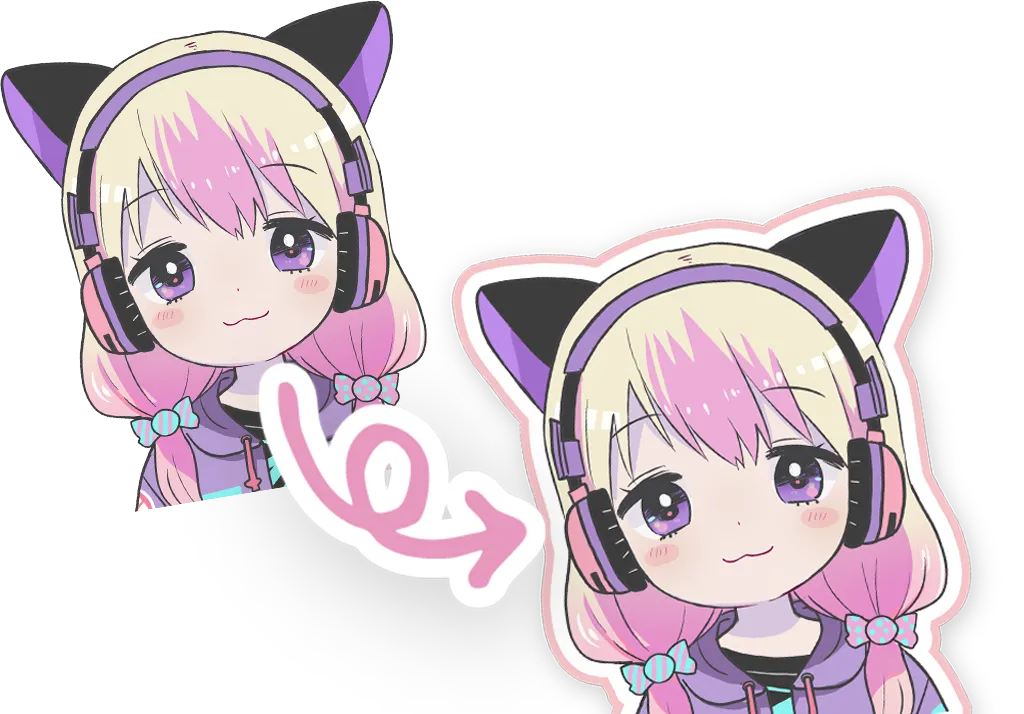
The "Transparent Image Border Maker" is a free online tool that allows you to easily add strokes (borders), outlines, glow effects, and drop shadows to transparent background images (PNG or WebP) directly in your browser. Even if you don't have expensive design software like Photoshop or Illustrator, you can create professional-grade logo effects with just a few clicks and adjustments.
Logo visibility is crucial for YouTube thumbnails, OBS stream overlays for VTubers and Twitch streamers, presentation slides, and banner ads. By adding a crisp border to a logo that blends into the background, you can instantly transform it into an eye-catching design element.
It runs entirely in your browser, so no software installation is needed. Edit your images anytime, anywhere on your PC, smartphone, or tablet.
All image processing is completed within your device (client-side). Your images are never uploaded to our servers, so you can safely process sensitive logos or unreleased materials.
Create up to 3 layers of decoration: an inner border, an outer border, and a shadow/glow. Use our templates to instantly apply trending designs.
In streaming overlays, backgrounds often change rapidly (e.g., game screens or wallpapers). To ensure your channel logo or "Schedule" text remains visible against both bright and dark backgrounds, adding a thick "White Border" followed by a "Soft Shadow" is highly effective. This tool ensures optimal visibility before you even import your assets into OBS.
Whether users click your content often depends on how much your text and logo pop in the thumbnail. By adding a neon-style "Glow Effect" in addition to standard borders, you can give a pop, energetic impression that stands out on timelines like YouTube, X (Twitter), and TikTok.
When creating stickers or handmade goods, you often need a uniform "bleed" or "cut line" around your illustration. This tool simulates a die-cut edge with high-quality output, making it useful for preparing print-ready materials.
Can I use JPG images?
You can load them, but since JPGs do not support transparent backgrounds, the border will be applied to the rectangular edge of the entire image. To apply a border along the shape of your logo/character, please use a "PNG" or "WebP" image with a transparent background.
Can I process multiple images at once?
Currently, we process one image at a time. However, by using the "Save Preset" function, you can quickly apply the same consistent style to multiple images in sequence.
Is there a watermark on the output?
No, absolutely not. The tool is completely free for both personal and commercial use, with no watermarks.
What happens to the image size?
The canvas size automatically expands to accommodate the added border width and shadow blur, while maintaining the original resolution of your source image. This ensures your decorations are never cut off at the edges.
Make your creations stand out with the Transparent Image Border Maker.