Learn Fingerings
See each note and fingering on screen, then play while following note names or standard notation.

Practice trumpet fingerings
on your iPhone.
See the fingering, play the note, and check your pitch.
Enter any song as sheet music and start practicing right away.
Learn the fingerings, practice songs, and check your pitch—all at your own pace on iPhone.
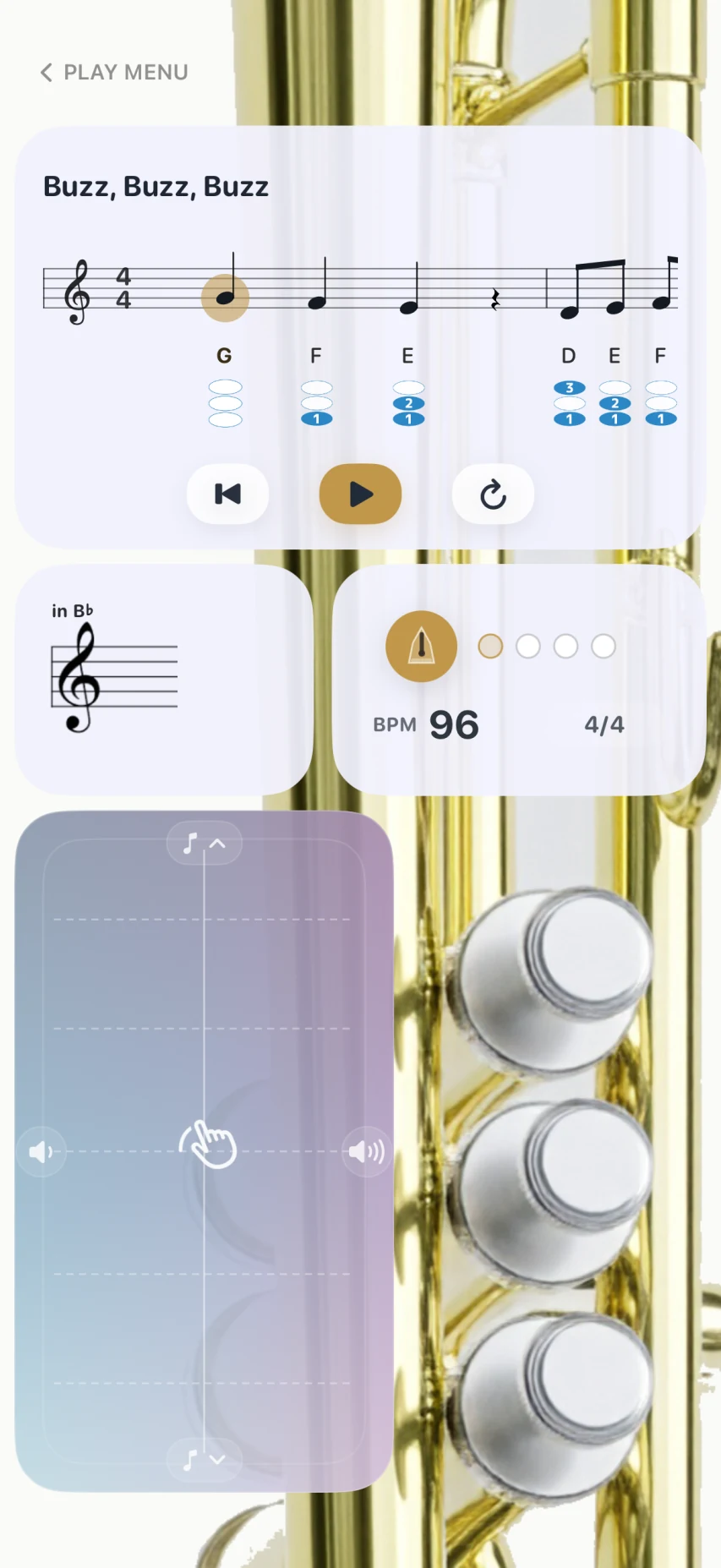
See each note and fingering on screen, then play while following note names or standard notation.
Work through a growing collection of exercises and learn the basics of trumpet playing lesson by lesson.
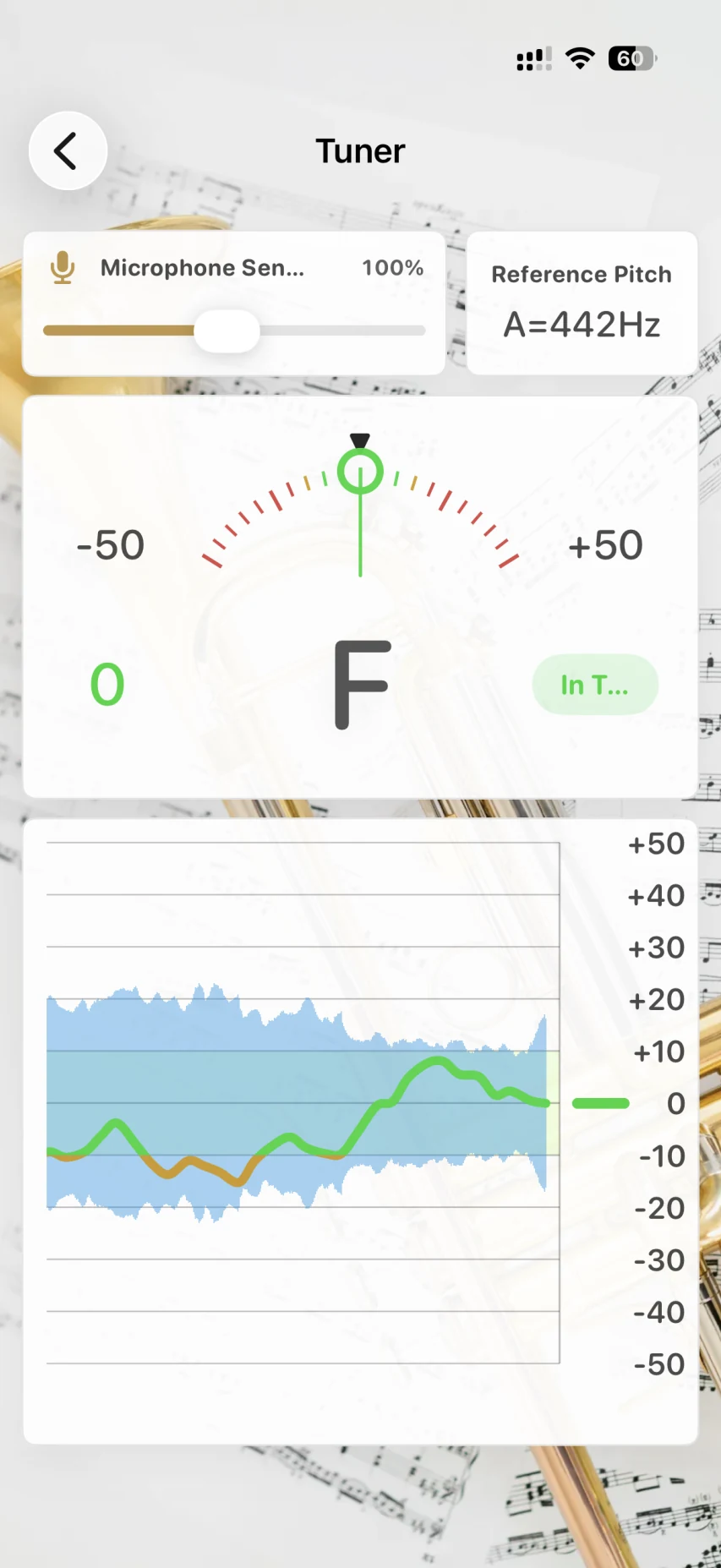
Use the built-in tuner to check the pitch of your real trumpet and fine-tune your sound.
Enter and save the music you want to learn, then practice it as often as you like in PocketPet's performance view.
Watch how to check fingerings, play notes, and create practice sheet music.
PocketPet includes fundamental exercises and practice songs. Follow the sample performance to see the music advance along with the valve movements.
Watch which valves to press, then repeat the movement on screen until it feels familiar.
Review valve movements and notes on your iPhone, even when you only have a few minutes.
Enter and save the passage you need to work on, then use it as your own custom exercise.
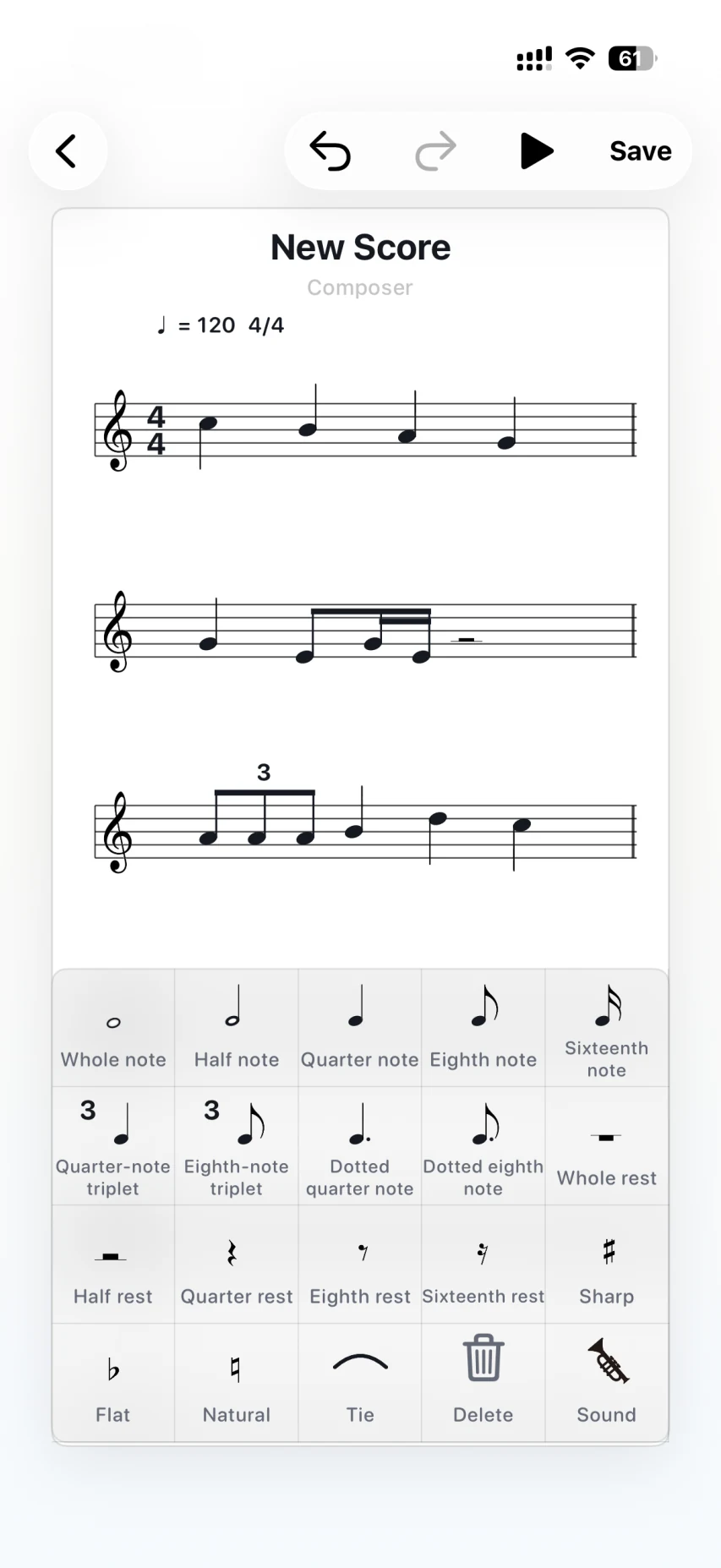
Create sheet music by entering notes and rests. Once saved, your music is ready to use in the practice view. Enter a lesson-book exercise or a difficult phrase and repeat it at your own pace.
You can also share songs you create with friends.
Do not upload copyrighted music to a publicly accessible website without permission from the copyright holder.
PocketPet uses your iPhone microphone to detect the pitch of your trumpet. Follow the analog-style needle to tune your instrument.
Microphone access is required to use the tuner.
Some features are available only with
Premium.

Start it right from the performance view and set any tempo from 40 to 240 BPM.
Drag notes and rests onto the staff. Adjust pitch, add accidentals, and connect notes with ties as you build your practice piece.
Preview individual notes while editing or play the entire piece to check your work.
Choose either letter names (C, D, E) or solfège (Do, Re, Mi) for note labels.
The free version includes Trumpet and Square Lead. Additional sounds are available with Premium.
Review fingerings, practice songs, and tune your trumpet. Get started for free.
Yes. You can learn fingerings and practice playing on the iPhone screen using PocketPet alone. The tuner listens to a real instrument through your iPhone microphone.
Yes. Enter notes and rests in the sheet music editor, save your music, and open it in the practice view.
Yes. B♭ trumpet is available in the free version. Premium also lets you switch to C trumpet for music written at concert pitch, such as piano scores.
Check that PocketPet has microphone access in your iPhone Settings. You can also adjust microphone sensitivity in the app.
No. Premium is a one-time in-app purchase. If you move to a new iPhone, you can restore your purchase using the same Apple Account.
Learn how PocketPet handles sheet music, practice progress, settings, and microphone access on its dedicated privacy page.