
Turn chores, pets, and office chaos into a retro RPG meme.
Create dialogue boxes, battle screens, or command menus—with your own photo or a built-in pixel art scene.
Images stay on your device. Drag, pinch, or scroll to adjust the photo.
You can also drop or paste an image into the preview.
Wrap text in 【brackets】 to highlight it. {name} uses the name below.
Up to 12 pages. Each page has its own message and speaker.
If the text border looks uneven, send the image instead.
GIF: up to 480px. MP4: up to 640px. Animations: 30 seconds total. Transparent areas become black.
Link sharing does not attach your image. Template links open with the same joke.
Tap an example to load its photo and joke, then make it yours.
Your inbox is a boss fight. Your laundry is a mountain. Your dog wants to join the party—for a chicken nugget. Give everyday moments the dialogue box they deserve.
Choose a photo or pixel art background, pick a scene, and write the punch line. Add an enemy, character stats, a portrait, or a custom command menu. Everything runs in your browser, with no signup or watermark.
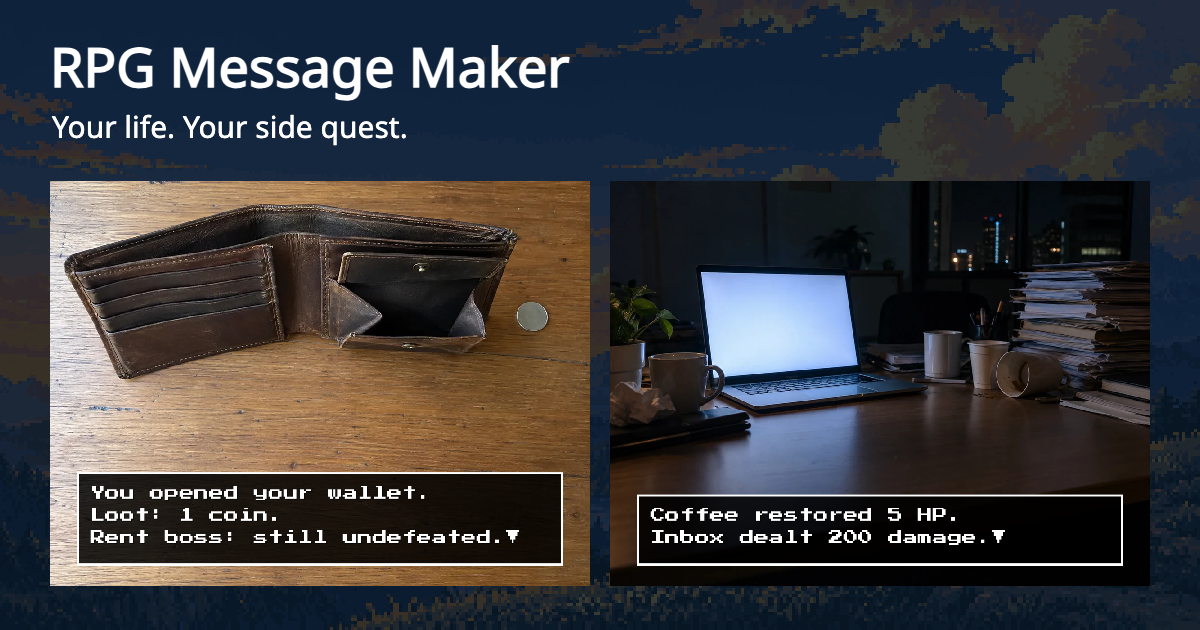
“Coffee restored 5 HP. Inbox dealt 200 damage.” Turn meetings, Monday mornings, and deadlines into encounters.
“Cat claimed your chair. You may stand now, human.” Add a dialogue box to the face that already says it all.
“Calories launched an ambush! You ordered extra noodles.” Make your lunch the final boss.
“Laundry Mountain appeared! You selected: I'll do it later.” A perfect update for the group chat.
Choose from eight window styles, including classic black, blue, pixel borders, a retro handheld palette, and sci-fi. Change the border, fill, text color, and opacity. Highlight key words with 【brackets】.
The pixel option uses the locally hosted Press Start 2P font. Serif text is available for a different mood. Photos can be pixelated or given a retro palette, scanlines, and a vignette.
PNG keeps transparency. Window-only PNG crops away the extra space. GIF and MP4 use a black background for transparent areas, with a 30-second animation limit across all pages. You can also save up to 12 PNG pages in a ZIP or one stacked image.
This is an unofficial tool and is not affiliated with any game publisher.