Searchable text
Pages are scaled and embedded rather than turned into images. Existing text can still be searched and copied.

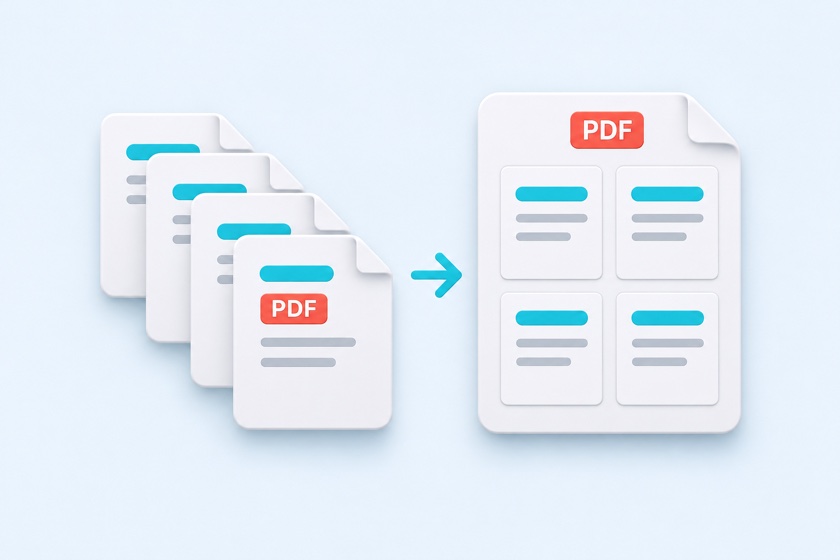
Create 2-up, 4-up, or 6-up PDF handouts for printing and sharing.
Fit several PDF pages onto a US Letter or A4 sheet. Choose the page order, orientation, spacing, and borders, then download a PDF with the layout already applied.
Drop your PDF here
or use the button to choose a file
One PDF at a time. A four-pages-per-sheet preview appears after loading.
Large PDFs may take a little longer.
Pages per sheet
Sheet orientation
Sheet margins
Links, annotations, and form fields are not included in the output. When printing, choose Actual size (100%) to keep the specified margins.
N-up means placing several document pages on one sheet: 2-up, 4-up, 6-up, and so on. This tool saves that arrangement as a new PDF, so recipients see the same handout layout when they open it.
Pages are scaled and embedded rather than turned into images. Existing text can still be searched and copied.
Choose US Letter (8.5 × 11 inches), A4, A3, B5, or B4. Auto orientation chooses the sheet direction based on your source pages and selected layout.
Arrange pages across or down from the top left. For right-to-left documents, start at the top right instead.
Drop one PDF into the tool or click Choose PDF. Your file is opened in your browser without uploading it.
Start with four pages per sheet on US Letter. Change the count, orientation, order, margins, spacing, or borders and review each output sheet.
Click Create N-up PDF and download. The file name ends with _4up.pdf, or the count you selected.
| Pages per sheet | Portrait sheet | Landscape sheet | Typical use |
|---|---|---|---|
| 2 | 2 rows × 1 column | 1 row × 2 columns | Two document pages on one handout |
| 4 | 2 × 2 | 2 × 2 | Slides with room to read and annotate |
| 6 | 3 rows × 2 columns | 2 rows × 3 columns | Compact widescreen slide handouts |
| 8 | 4 rows × 2 columns | 2 rows × 4 columns | Slide overview |
| 9 | 3 × 3 | 3 × 3 | Photos or design comparisons |
| 16 | 4 × 4 | 4 × 4 | Thumbnail overview or page planning |
Check readability at the final print size. Smaller source text may need fewer pages per sheet.
| Method | Result | Use it when |
|---|---|---|
| N-up PDF | A new PDF with several pages fitted onto each sheet | You want to email the handout or send it to a print shop. |
| Printer pages-per-sheet setting | The layout changes only during that print job | You only need a paper copy from your own printer. |
| Side-by-side PDF pages | Two pages joined at their original size | You want a spread without fitting it to a paper size. |
Links, annotations, and form fields are not included in N-up output. Choose Actual size (100%) in your print dialog to preserve the specified sheet margins.
Choose 4 pages per sheet, select US Letter or another paper size, review the preview, and download the N-up PDF. Print it at Actual size (100%) if you want the specified margins.
Yes. Choose 6 pages per sheet. Portrait uses three rows and two columns; landscape uses two rows and three columns. Review the text size in the preview.
No. Pages are embedded into a new sheet, so links, annotations, and interactive form fields are omitted. Existing page text remains searchable.
Yes. Choose Across from top right or Down from top right for documents such as manga or vertically written books.
Yes. The controls support touch input. Large PDFs may need more memory than a phone has available; try fewer pages or use a computer.
No. Loading, previews, processing, and output generation take place in your browser. No account or installation is required.