Marked pages are rebuilt
This tool renders a marked page with the filled areas applied, then embeds that result as a new image page. The covered content is absent from the output image.

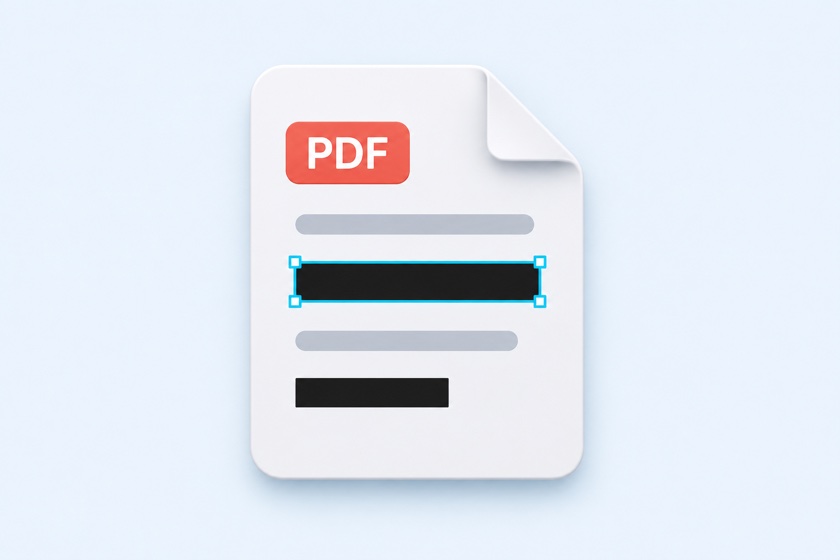
Black out selected areas and remove the underlying content.
Draw over the details you want to remove. Marked pages are rebuilt as images, and the tool checks those pages for remaining text data before offering the download. Processing stays in your browser.
Drop your PDF here
or use the button to choose a file
One PDF at a time. File processing stays on your device.
Large PDFs may take a little longer.
Open and review every page before creating the PDF to check for missed areas.
Also rebuild unmarked pages as images, removing their text layers.
PDF appearance and text data are separate. Placing a rectangle over text can leave that text available for search or copying.
This tool renders a marked page with the filled areas applied, then embeds that result as a new image page. The covered content is absent from the output image.
The tool opens the generated PDF and checks rebuilt pages for text data. If text is found on a page that should be an image, output is stopped.
The text check does not find details you forgot to mark or detect readable information inside images. Review every output page before sharing.
| Content | Marked or rebuilt pages | Unmarked pages kept in original form |
|---|---|---|
| Text and images in marked areas | Removed from the rebuilt page image | Not applicable |
| Other text on the page | Rendered into pixels; no text search or copying | Original searchable text remains |
| Links, annotations, and forms | Visible appearance may remain as pixels | External links and annotations may remain. Internal page links are removed; pages with forms are rebuilt. |
| Bookmarks and attachments | Removed | Removed |
| Title, author, and document metadata | Removed | Removed |
Enable Rebuild every page as an image if you want all pages to lose their text layers. Text rendered visibly in the page image can still be read or recognized with OCR.
Drop one PDF into the tool or click Choose PDF. Your file is opened in your browser without uploading it.
Use Draw mode to mark areas in black or white. Switch to Select / move to reposition or resize a marked area. Review every page.
Click Create redacted PDF. After the output text check passes, inspect the result and the file name, then click Download. Keep the original PDF separately.
The new area is selected immediately after drawing.
Use Copy selected area to the same position on All pages, Odd pages, or Even pages.
Move or resize areas where the document layout shifts. A repeated form may still have details in different locations.
Marked pages are rebuilt from the rendered result with the filled areas applied. The covered text and image content is not included in that new page image. Keep your original file if you need an editable copy.
The entire marked page is rebuilt as an image to remove its underlying text data. Unmarked pages kept in their original form can still contain searchable text.
It verifies that pages rebuilt as images contain no extractable text data. It does not detect missed areas or guarantee that every piece of sensitive information has been removed.
No. The output removes bookmarks, attachments, and document metadata such as title and author. Review the download file name separately for sensitive details.
Yes. In Draw mode, dragging marks an area and page scrolling is disabled. Switch to Select / move to scroll and adjust areas. Large files can require a computer.
No. Loading, previews, processing, and output generation take place in your browser. No account or installation is required.